Music
What you need
-
A program that can export audio file as
.WAV.- For example Audacity.
Template
We will be working with this template
Music Length
With this template you will be able to make custom music up to 1:55 at 32000 Hz Stereo before the file is too large to work with
About longer music
You can also use the following template
Download template (Music Without MII SFX)
This template does not contain Mii SFX and will get you about 2:26 at 32000 Hz Stereo.
Even longer
If you want to make longer music you can export your music at a lower sample rate and use Mono instead of Stereo, what matters is that the size of the file is not too large.
Apply the patch to a copy of your cafe_barista_men.bfsar file (Patching) and come back here when you're done.
Exporting Music as WAV
Use the program of your choice to export your music as a .WAV file.
The best settings are
- Sample Rate: 32000 Hz.
- Channels: Stereo.
- Encoding: Signed 16-bit PCM.
Citric Composer
Adding your music
- Launch Citric Composer.
- Open your cafe_barista_men.bfsar already patched with the provided Template.
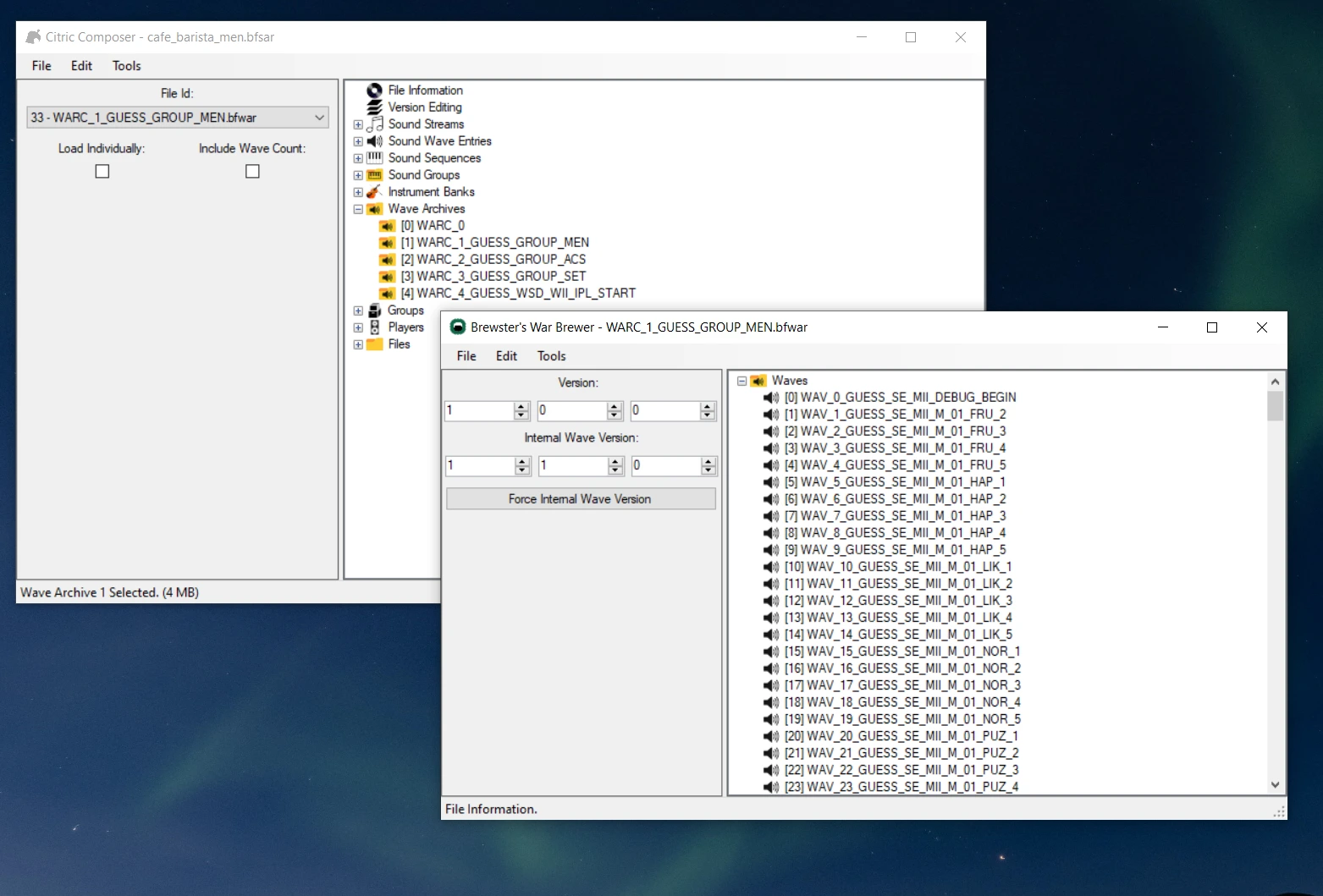
- Double click
Wave Archives. - Double click
[1] WARC_1_GUESS_GROUP_MEN. -
A new window will open.
-
Double click
Waves. - Scroll to the bottom to find
[302] WAV_302_GUESS_BANK_MEN_BGM. - Right click
[302] WAV_302_GUESS_BANK_MEN_BGM. - Click replace.
- Choose your
.WAVfile. -
Wait for it to change the name to
[302] {Unknown Wave Name}.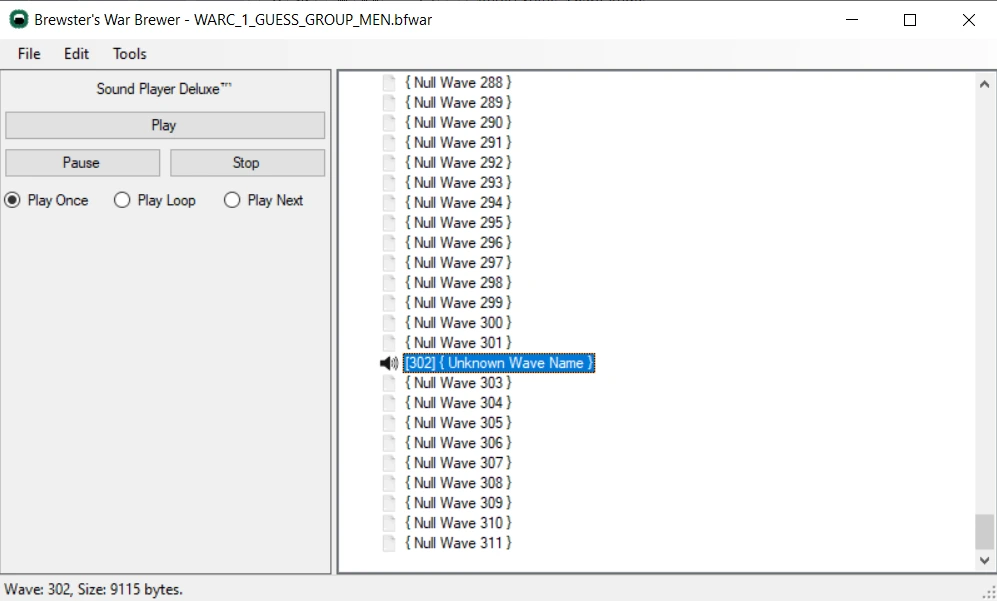
-
Click
Filein the top left corner. - Click Save.
You can now close this window.
- Click
Filein the top left corner. - Save.
Looping points
If your WAV file has looping points, the music will loop accordingly, otherwise you can set loop points within Citric Composer or use other tools such as Wavosaur, Audacity will not work for this as it removes loop points when exporting.
Success
You can now test your music StyleMiiU.
Troubleshooting
-
If you have the following error when replacing the WAV file:
"The output char buffer is too small to contain the decoded characters, encoding 'Unicode (UTF-8) fallback"
Make sure that you export your WAV file with the encoding:
Signed 16-bit PCM -
If the console freezes before loading the Wii U menu, your music might be too heavy, you can:
- Reduce the Sample Rate of the audio file you used.
- Shorten the lenght of the audio file you used.
- Use Mono instead of Stereo.
Tips by yeetyeeter456
Tips and Tricks for making Wii U Custom Music
Thanks to the discord user @yeetyeeter456 for these tips and tricks
Tips and tricks to help you spend just a few minutes per song!
NOTICE:
- This tutorial assumes you already know the basics of making Wii U music. If you have not already, look at this tutorial: Music
- I am not a pro at this I just have some helpful things I've found and want more people to know about.
Ok, let us begin
-
If you need a feature rich and free option for converting files to .wav, shortening files, or changing Hz, Audacity works very well.
-
Before starting to make something, ALWAYS check the file in Audacity (or another audio tool) to make sure its in stereo and the Hz aren't too high. This is just a good routine to get into so that you make sure you never waste your time.
-
Keep a backup of your patched .bfsar file and just copy it when you want to make a new song. This way you won't have to patch it every time.
-
Have a place to put your finished music that way you always know where they are.
-
If you have a fairly short song, convert it into higher Hz to make it sound better. If it doesn't work you can always lower the Hz again.
-
If you have a fairly long song, convert it into lower Hz to fit the whole thing. This is how I was able to fit the entire 4 minute song for my upside down theme.
-
Keep websites like: https://www.marcrobledo.com/RomPatcher.js/ saved somewhere for easy access
alright, hopefully that helped some of you but That's all I can think of on the spot.